Shared hosting is a sensible starting point for many websites. A virtual private server becomes attractive when the application needs more predictable resources, deeper configuration control, or software that shared environments do not support. The upgrade decision should follow actual needs.
Quick answer: Upgrade from shared hosting to VPS only when you can identify a clear resource, runtime, isolation, or control requirement. Account for server administration and recovery responsibilities as well as monthly price.
Understand the operating difference
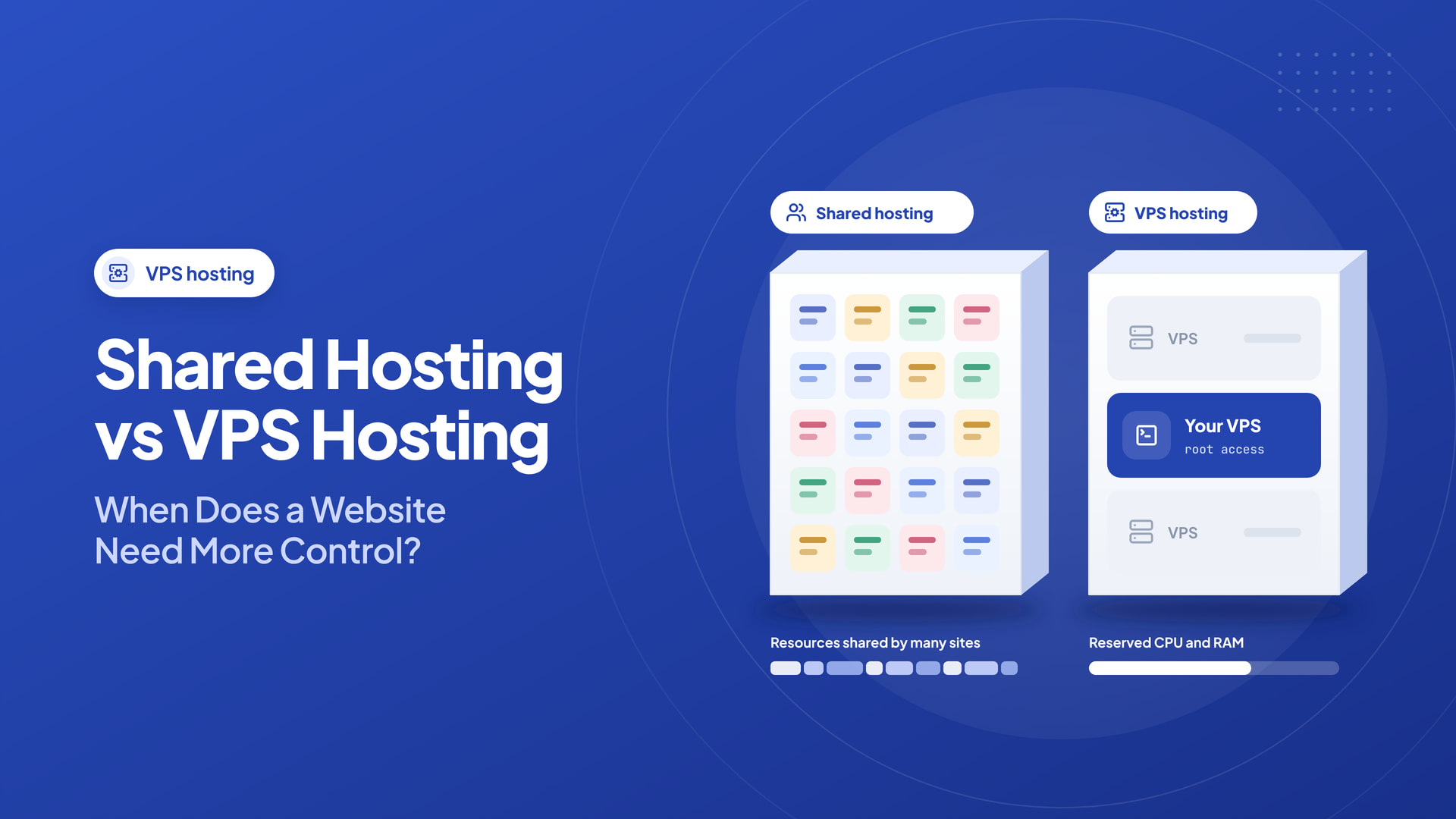
In shared hosting, several customers use a managed server environment. Each account may have limits on CPU, memory, processes, disk I/O, and other resources. The provider maintains the underlying platform and commonly includes a control panel.
A VPS offers an isolated virtual server with its own operating-system environment and allocated resources. Depending on the service, you may have root access and responsibility for system patches, firewall rules, backups, and application setup.
Look for real reasons to move
A growing website might outgrow shared hosting if its resource usage repeatedly reaches account limits, background jobs need special configuration, or a required service cannot be installed. Developers may also need specific web-server versions, runtime packages, or deployment tools.
One slow WordPress page is not automatically evidence that a VPS is needed. First examine plugins, database queries, image sizes, cache configuration, and traffic patterns. A badly optimized site can remain slow after moving to a larger server.
Include management in the budget
The VPS invoice may be only part of the total cost. Add a control-panel license where required, monitoring, managed backups, security maintenance, and administrator time. A self-managed VPS needs regular updates and a recovery plan.
If you are not comfortable operating Linux, consider a managed option or a professional administrator. A shared platform with solid support may be safer than an unmanaged server that no one maintains.
Resource sizing without guesswork
Measure peak memory use, CPU consumption, storage growth, and concurrent requests. Select a size that handles normal traffic with some room for bursts. Monitor after migration, then adjust capacity based on data.
To understand the range of possible configurations, examine Intelwebhost’s Bangladesh VPS packages and compare CPU, RAM, NVMe storage, bandwidth, location, and access level with alternatives. Confirm whether management and backups are included in the chosen plan.
Compare what you manage on shared hosting and a VPS
With shared hosting, the provider typically operates much of the underlying web-server environment and provides an account-level control panel. That is convenient when you want to publish a website without maintaining a full operating system. A VPS gives you greater operating-system and application configuration control, which also means you may be responsible for updates, firewall rules, backups, monitoring, and troubleshooting unless a managed service is included.
A VPS is not automatically faster than well-run shared hosting. A low-resource VPS can perform worse than a properly cached shared account. The correct comparison includes the application workload, isolation model, CPU entitlement, memory, storage performance, and operational expertise.
| Factor | Shared hosting | VPS hosting |
|---|---|---|
| Server administration | Mostly provider-managed | Customer or managed-service responsibility |
| Application runtimes | Limited to supported stack | Often customizable |
| Root access | Usually unavailable | Typically available |
| Cost predictability | Often simple annual plans | Server, control panel, and administration costs |
| Scaling options | Package upgrades and migrations | Resize, tune, or migrate the instance |
Recognize upgrade triggers rather than following a calendar
Move when you can identify a concrete constraint: persistent CPU throttling, memory exhaustion, application runtime restrictions, database contention, or security isolation requirements. A traffic milestone such as “10,000 visitors” is not enough context; a cached blog and an uncached booking platform can use radically different resources at the same visit count.
Collect logs and metrics for at least one representative traffic cycle. Record average and peak CPU usage, memory consumption, request concurrency, slow SQL queries, PHP worker saturation, and error rates. If a plugin change caused the slowdown, moving servers might postpone the underlying issue rather than solve it.
Include management effort in the total cost
A self-managed VPS requires a maintenance plan. Who will update packages, replace certificates, configure backups, respond to intrusion alerts, and restore after a failure? If nobody owns those tasks, a higher-specification machine can create more business risk than a supported shared account. A managed VPS may close that gap, but you must confirm exactly what the service includes.
For companies with sensitive data, also define access control, administrator auditing, retention periods, and recovery responsibilities. Hosting product pages rarely replace a written security and operational plan.
A reversible migration from shared hosting
Create a complete backup of application files, databases, cron jobs, and important DNS records. Provision the VPS, patch the operating system, install the required stack, and restore a staging copy. Test application URLs, permissions, email delivery, background processing, TLS, and peak workflows before changing DNS. Retain the previous account while you verify the new site and perform a final data synchronization.
If the project grows into several services, containerization or infrastructure automation may help, but do not introduce complexity solely because a VPS permits it. Choose the simplest deployment that your team can operate confidently.
An example sizing discussion
A content site with effective page caching may work well on shared hosting even during occasional spikes. An application that runs persistent WebSocket connections, custom background queues, and a nonstandard database engine may need VPS-level control at much lower visitor counts. Determine requirements from the process model, not the marketing label.
Before upgrading, answer six questions
- Which current limit is measurable and consistently reached?
- Can caching, query optimization, or configuration remove that limit?
- Does the team have the skills for VPS maintenance?
- What is the full monthly cost, including panels and backups?
- How will you measure whether the move improved performance?
- Can you roll back if login, payments, or email fail?
Plan a reversible migration
Set up the VPS first, copy the application and database, test it privately, and schedule DNS changes only when it is ready. Preserve the original environment until the new service has passed functional testing. Record how to roll back if payment processing, email, or background jobs fail.
Shared hosting and VPS hosting serve different stages of a project. The best time to upgrade is when you can name the constraint that extra control or resources will actually solve.
Frequently asked questions
Is VPS hosting always faster than shared hosting?
No. Performance depends on resource allocation, configuration, caching, and the workload. A small unmanaged VPS may underperform optimized shared hosting.
Do I need a VPS for WordPress?
Not necessarily. Many WordPress websites run effectively on shared hosting. Consider a VPS when specific operational or resource requirements justify it.
What is the biggest hidden VPS cost?
Often administration and recovery responsibilities: updates, security, monitoring, backups, and the technical time required during incidents.